vs Manim
This page compares VectorMation with Manim Community side by side. Each example is taken from the Manim examples gallery. All VectorMation examples are runnable from examples/manim/.
Key Differences
VectorMation |
Manim |
|
|---|---|---|
Output |
Native SVG |
Rasterized video (Cairo/OpenGL) |
Approach |
Declarative: define animations, view any frame |
Imperative: |
Structure |
Plain script |
Class with |
Preview |
Hot-reload browser viewer |
Re-render on every change |
Angles |
Degrees |
Radians ( |
Timing |
Seconds as floats ( |
|
Coordinates |
Pixel-based (1920x1080 viewBox, center at 960, 540) |
Unit-based (centered at ORIGIN) |
Philosophy
Manim treats animation as a sequence of actions: create a shape, play an animation, wait, play another. Every step is explicitly played through self.play().
VectorMation treats objects as functions of time: you define what should happen and when, and the library renders any frame on demand. This means no self.play() calls, no self.wait(), and instant hot-reload in the browser.
Basic Concepts
Example: ManimCELogo
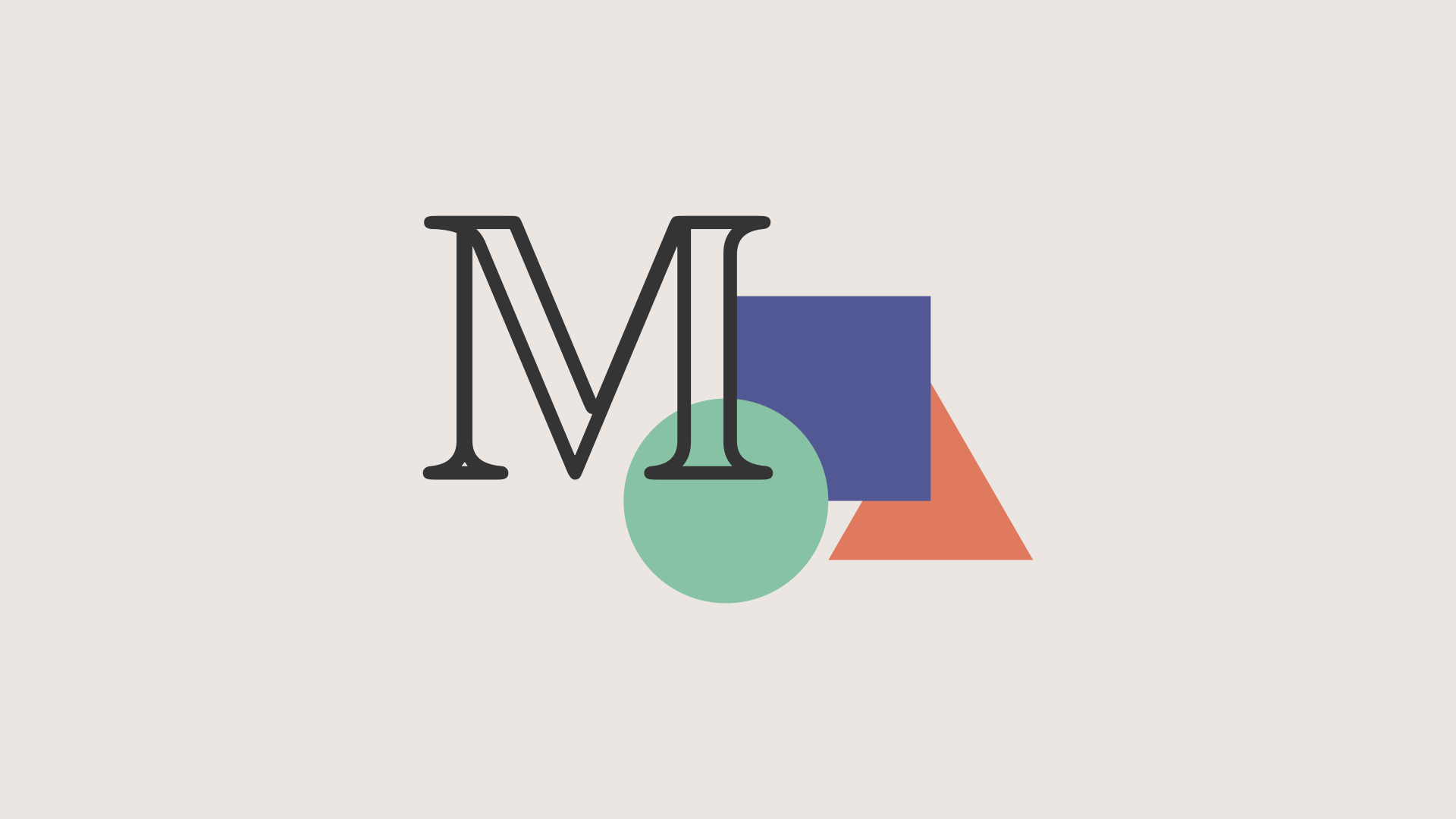
Logo recreation with basic shapes.
"""Manim equivalent: ManimCELogo -- community edition logo with shapes and M."""
from vectormation.objects import *

# Initialize the animation frame
canvas = VectorMathAnim()
canvas.set_background(fill='#ece6e2')
# 1 manim unit = 135px
unit = 135

# Shapes at manim default sizes (radius=1u, side=2u), centered at screen center
cir = Circle(unit, fill='#87c2a5', stroke_width=0, fill_opacity=1).shift(dx=-unit)
sq = Rectangle(2 * unit, 2 * unit, fill='#525893', stroke_width=0, fill_opacity=1).center_to_pos().shift(dy=-unit)
tr = EquilateralTriangle(2 * unit, fill='#e07a5f', stroke_width=0, fill_opacity=1).shift(dx=unit)

# M character: Manim uses MathTex("\mathbb{M}").scale(7), shifted 2.25*LEFT + 1.5*UP
char = TexObject(r'$$\mathbb{M}$$', font_size=350, fill='#343434').objects[0]
char.center_to_pos()
char.shift(dx=round(-2.25 * unit), dy=round(-1.5 * unit))

# Group and center (order matters for z-layering: triangle, square, circle, M)
logo = VCollection(tr, sq, cir, char)
logo.center_to_pos()

canvas.add_objects(logo)

canvas.show()
class ManimCELogo(Scene):
    def construct(self):
        self.camera.background_color = "#ece6e2"
        ds_m = MathTex(r"\mathbb{M}", fill_color="#343434").scale(7)
        ds_m.shift(2.25 * LEFT + 1.5 * UP)
        circle = Circle(color="#87c2a5", fill_opacity=1).shift(LEFT)
        square = Square(color="#525893", fill_opacity=1).shift(UP)
        triangle = Triangle(color="#e07a5f", fill_opacity=1).shift(RIGHT)
        logo = VGroup(triangle, square, circle, ds_m)
        logo.move_to(ORIGIN)
        self.add(logo)
Example: BraceAnnotation
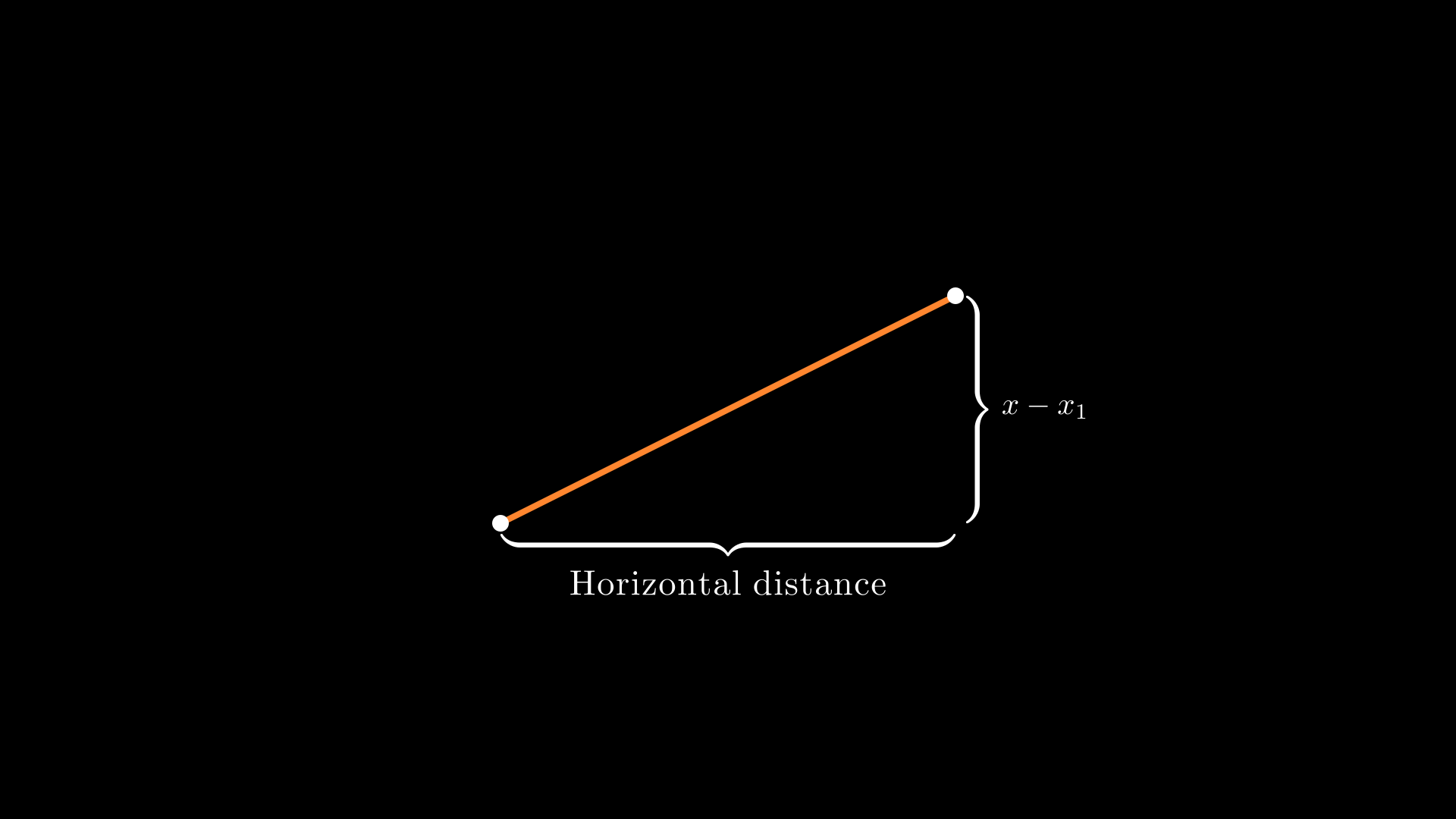
A line with curly brace annotations.
"""Manim equivalent: BraceAnnotation -- brace with text label."""
from vectormation.objects import *

canvas = VectorMathAnim()
canvas.set_background()
# Manim: dot at [-2,-1] and [2,1] => centered on canvas
dot1 = Dot(cx=660, cy=690, fill='#fff', fill_opacity=1)
dot2 = Dot(cx=1260, cy=390, fill='#fff', fill_opacity=1)
line = Line(x1=660, y1=690, x2=1260, y2=390, stroke='#FF862F', stroke_width=8)
b1 = Brace(line, direction='down', label='Horizontal distance')
b2 = Brace(line, direction='right', label=r'$x-x_1$')

canvas.add_objects(line, dot1, dot2, b1, b2)

canvas.show()
class BraceAnnotation(Scene):
    def construct(self):
        dot = Dot([-2, -1, 0])
        dot2 = Dot([2, 1, 0])
        line = Line(dot.get_center(), dot2.get_center()).set_color(ORANGE)
        b1 = Brace(line)
        b1text = b1.get_text("Horizontal distance")
        b2 = Brace(line, direction=line.copy().rotate(PI / 2).get_unit_vector())
        b2text = b2.get_tex("x-x_1")
        self.add(line, dot, dot2, b1, b2, b1text, b2text)
Example: VectorArrow
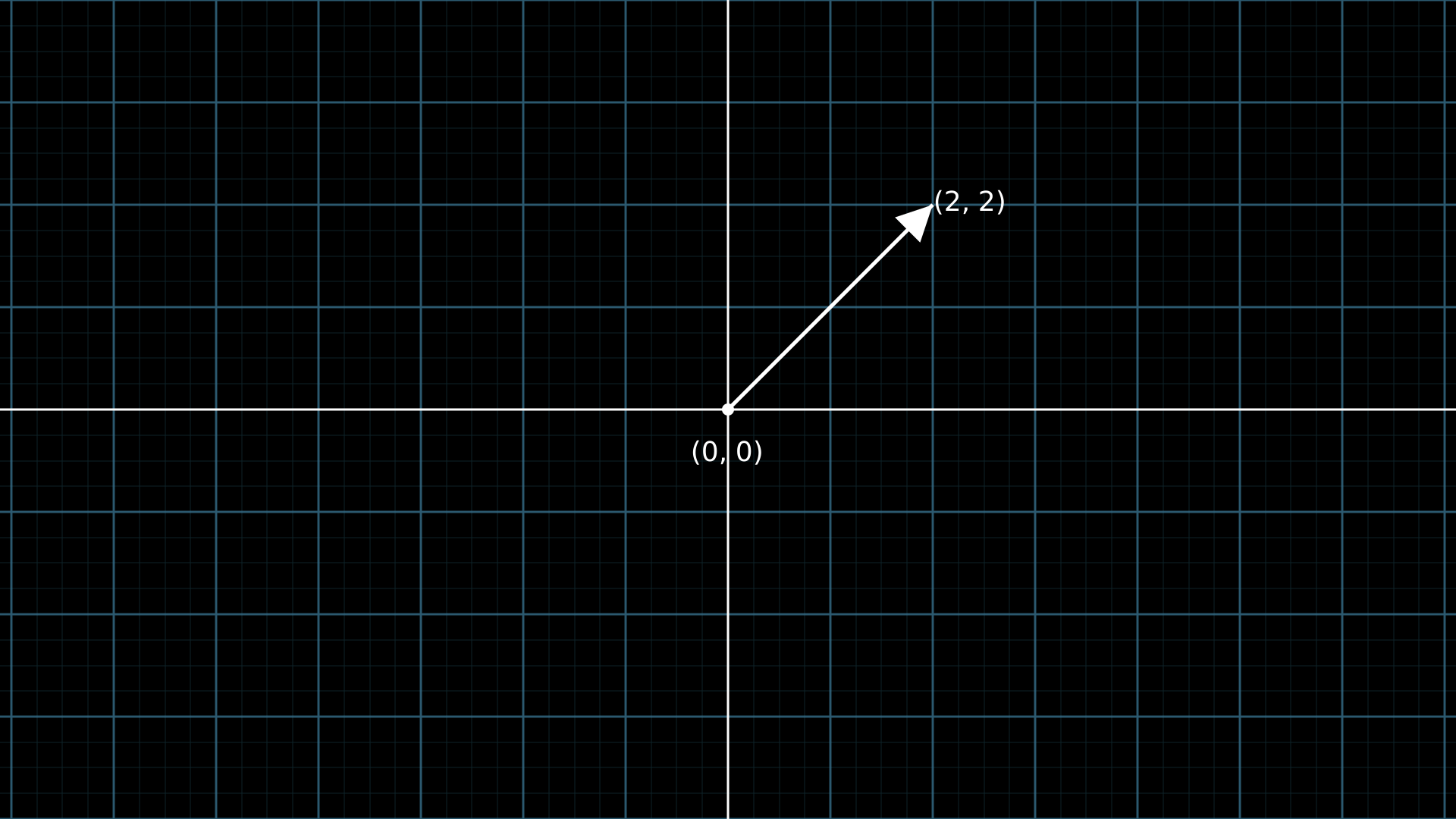
An arrow on a number plane with labels.
"""Manim equivalent: VectorArrow -- arrow with labeled endpoints on a grid."""
from vectormation.objects import *

canvas = VectorMathAnim()
canvas.set_background()
plane = NumberPlane()

# Arrow from origin (0,0) to (2,2) in logical coordinates
ox, oy = plane.coords_to_point(0, 0)
tx, ty = plane.coords_to_point(2, 2)
origin = Dot(cx=ox, cy=oy, r=8, fill='#fff', fill_opacity=1)
arrow = Arrow(x1=ox, y1=oy, x2=tx, y2=ty, stroke='#FFFFFF')

origin_text = Text('(0, 0)', font_size=36)
origin_text.center_to_pos(posx=ox, posy=oy + 50)
tip_text = Text('(2, 2)', font_size=36)
tip_text.center_to_pos(posx=tx + 50, posy=ty - 10)

canvas.add_objects(plane, origin, arrow, origin_text, tip_text)

canvas.show()
class VectorArrow(Scene):
    def construct(self):
        dot = Dot(ORIGIN)
        arrow = Arrow(ORIGIN, [2, 2, 0], buff=0)
        numberplane = NumberPlane()
        origin_text = Text('(0, 0)').next_to(dot, DOWN)
        tip_text = Text('(2, 2)').next_to(arrow.get_end(), RIGHT)
        self.add(numberplane, dot, arrow, origin_text, tip_text)
Animations
Example: PointMovingOnShapes
A dot moves along a circle and then rotates around a point.
"""Manim equivalent: PointMovingOnShapes -- dot moving along and around shapes."""
from vectormation.objects import *

canvas = VectorMathAnim()
canvas.set_background()
cir = Circle(0, cx=960, cy=540, stroke='blue', fill_opacity=0)
cir.r.move_to(0, 1, 150)
dot = Dot(r=12, fill='#fff', fill_opacity=1)
dot.c.move_to(1, 2, (1110, 540))
dot.c.rotate_around(2, 4, (960, 540), 360)
dot.c.rotate_around(4, 5.5, (1260, 540), 360)
l = Line(960 + 3 * 150, 540, 960 + 5 * 150, 540)

canvas.add_objects(cir, dot, l)

canvas.show()
class PointMovingOnShapes(Scene):
    def construct(self):
        circle = Circle(radius=1, color=BLUE)
        dot = Dot()
        dot2 = dot.copy().shift(RIGHT)
        self.add(dot)
        line = Line([3, 0, 0], [5, 0, 0])
        self.add(line)
        self.play(GrowFromCenter(circle))
        self.play(Transform(dot, dot2))
        self.play(MoveAlongPath(dot, circle), run_time=2, rate_func=linear)
        self.play(Rotating(dot, about_point=[2, 0, 0]), run_time=1.5)
Example: MovingAround
A square shifts, changes colour, scales, and rotates.
"""Manim equivalent: MovingAround -- chain of shift, set_fill, scale, rotate."""
from vectormation.objects import *

canvas = VectorMathAnim()
canvas.set_background()
square = Rectangle(200, 200, fill='#58C4DD', fill_opacity=1)
square.center_to_pos(posx=960, posy=540)
square.shift(dx=-200, start=0, end=1)
square.set_color(1, 2, '#FF862F')
square.scale(0.3, 2, 3)
square.rotate_by(3, 4, 23)

canvas.add_objects(square)

canvas.show()
class MovingAround(Scene):
    def construct(self):
        square = Square(color=BLUE, fill_opacity=1)
        self.play(square.animate.shift(LEFT))
        self.play(square.animate.set_fill(ORANGE))
        self.play(square.animate.scale(0.3))
        self.play(square.animate.rotate(0.4))
Example: MovingAngle
An angle indicator tracks a rotating line.
"""Manim equivalent: MovingAngle -- angle arc between two lines, animated via updater."""
from vectormation.objects import *

canvas = VectorMathAnim()
canvas.set_background()
cx, cy = 960, 540
l1 = Line(x1=cx, y1=cy, x2=cx + 200, y2=cy, stroke='#fff')
l2 = Line(x1=cx, y1=cy, x2=cx + 200, y2=cy, stroke='#FFFF00')
l2.p2.rotate_around(0, 2, (cx, cy), degrees=-110)
l2.p2.rotate_around(2, 3.5, (cx, cy), degrees=70)
l2.p2.rotate_around(3.5, 5, (cx, cy), degrees=-140)

angle = Angle(vertex=l1.p1, p1=l1.p2, p2=l2.p2, radius=40,
              label=r'$\theta$', label_font_size=36)

canvas.add_objects(l1, l2, angle)

canvas.show()
class MovingAngle(Scene):
    def construct(self):
        rotation_center = LEFT
        theta_tracker = ValueTracker(110)
        line1 = Line(LEFT, RIGHT)
        line_moving = Line(LEFT, RIGHT)
        line_ref = line_moving.copy()
        line_moving.rotate(
            theta_tracker.get_value() * DEGREES, about_point=rotation_center
        )
        a = Angle(line1, line_moving, radius=0.5, other_angle=False)
        tex = MathTex(r"\theta").move_to(
            Angle(line1, line_moving, radius=0.5 + 3 * SMALL_BUFF,
                  other_angle=False).point_from_proportion(0.5)
        )
        self.add(line1, line_moving, a, tex)
        line_moving.add_updater(
            lambda x: x.become(line_ref.copy()).rotate(
                theta_tracker.get_value() * DEGREES, about_point=rotation_center
            )
        )
        a.add_updater(
            lambda x: x.become(Angle(line1, line_moving, radius=0.5))
        )
        self.play(theta_tracker.animate.set_value(40))
        self.play(theta_tracker.animate.increment_value(140))
        self.play(theta_tracker.animate.set_value(350))
Example: MovingDots
Two dots move independently with a line tracking between them.
"""Manim equivalent: MovingDots -- two dots linked by a line, each moving independently."""
from vectormation.objects import *

canvas = VectorMathAnim()
canvas.set_background()
d1, d2 = Dot(r=12, fill='#58C4DD', fill_opacity=1), Dot(r=12, fill='#83C167', fill_opacity=1)
l = Line(x1=960, y1=540, x2=860, y2=540, stroke='#FC6255')
d1.c.set_to(l.p1)
d2.c.set_to(l.p2)
l.p1.move_to(1.5, 3, (960, 240))
l.p2.move_to(1, 2.5, (1260, 540))

canvas.add_objects(l, d1, d2)

canvas.show()
class MovingDots(Scene):
    def construct(self):
        d1, d2 = Dot(color=BLUE), Dot(color=GREEN)
        dg = VGroup(d1, d2).arrange(RIGHT, buff=1)
        l1 = Line(d1.get_center(), d2.get_center()).set_color(RED)
        x = ValueTracker(0)
        y = ValueTracker(0)
        d1.add_updater(lambda z: z.set_x(x.get_value()))
        d2.add_updater(lambda z: z.set_y(y.get_value()))
        l1.add_updater(lambda z: z.become(Line(d1.get_center(), d2.get_center())))
        self.add(d1, d2, l1)
        self.play(x.animate.set_value(5))
        self.play(y.animate.set_value(4))
Example: MovingGroupToDestination
A group of dots shifts so that the red dot lands on the yellow dot.
"""Manim equivalent: MovingGroupToDestination -- move a group to align with a target."""
from vectormation.objects import *

canvas = VectorMathAnim()
canvas.set_background()
d1 = Dot(cx=660, cy=540)
d2 = Dot(cx=760, cy=540)
d3 = Dot(cx=860, cy=540, fill='#FC6255')
d4 = Dot(cx=960, cy=540)
group = VCollection(d1, d2, d3, d4)

dest = Dot(cx=1200, cy=300, fill='#FFFF00')

# Shift the group so d3 (the red dot) ends up at dest
target_x, target_y = 1200, 300
ref_x, ref_y = d3.c.at_time(0)
group.shift(dx=target_x - ref_x, dy=target_y - ref_y, start=0.5, end=2)

canvas.add_objects(group, dest)

canvas.show()
class MovingGroupToDestination(Scene):
    def construct(self):
        group = VGroup(Dot(LEFT), Dot(ORIGIN), Dot(RIGHT, color=RED), Dot(2 * RIGHT)).scale(1.4)
        dest = Dot([4, 3, 0], color=YELLOW)
        self.add(group, dest)
        self.play(group.animate.shift(dest.get_center() - group[2].get_center()))
Example: MovingFrameBox
A surrounding rectangle highlights parts of an equation.
"""Manim equivalent: MovingFrameBox -- LaTeX with animated bounding rectangles."""
from vectormation.objects import *

canvas = VectorMathAnim(width=1920, height=540)
canvas.set_background()
text = TexObject(r'$$\frac{d}{dx}f(x)g(x)=f(x)\frac{d}{dx}g(x)+g(x)\frac{d}{dx}f(x)$$', font_size=120)
text.center_to_pos(posx=960, posy=270)
text.write(0, 1)
rect1 = text.brect(0, 13, 25, follow=False, buff=12)
rect2 = text.brect(0, 26, 38, follow=False, buff=12)
obj = MorphObject(rect1, rect2, start=2, end=4)

canvas.add_objects(text, obj, rect1, rect2)

canvas.show()
class MovingFrameBox(Scene):
    def construct(self):
        text = MathTex(
            r"\frac{d}{dx}f(x)g(x)=", r"f(x)\frac{d}{dx}g(x)", "+",
            r"g(x)\frac{d}{dx}f(x)"
        )
        self.play(Write(text))
        framebox1 = SurroundingRectangle(text[1], buff=.1)
        framebox2 = SurroundingRectangle(text[3], buff=.1)
        self.play(Create(framebox1))
        self.play(ReplacementTransform(framebox1, framebox2))
Example: RotationUpdater
A line rotates forward, then reverses direction.
"""Manim equivalent: RotationUpdater -- line rotating forward and backward."""
from vectormation.objects import *

canvas = VectorMathAnim()
canvas.set_background()
l1 = Line(x1=760, y1=540, x2=960, y2=540)
l2 = Line(x1=760, y1=540, x2=960, y2=540, stroke=(255, 0, 0))
l2.p1.rotate_around(1, 3, l2.p2.at_time(0), degrees=130)
l2.p1.rotate_around(3, 5, l2.p2.at_time(0), degrees=130, clockwise=True)

canvas.add_objects(l1, l2)

canvas.show()
class RotationUpdater(Scene):
    def construct(self):
        def updater_forth(mobj, dt):
            mobj.rotate_about_origin(dt)
        def updater_back(mobj, dt):
            mobj.rotate_about_origin(-dt)
        line_reference = Line(ORIGIN, LEFT).set_color(WHITE)
        line_moving = Line(ORIGIN, LEFT).set_color(YELLOW)
        line_moving.add_updater(updater_forth)
        self.add(line_reference, line_moving)
        self.wait(2)
        line_moving.remove_updater(updater_forth)
        line_moving.add_updater(updater_back)
        self.wait(2)
Example: PointWithTrace
A dot moves along a path leaving a visible trace behind it.
"""Manim equivalent: PointWithTrace -- dot leaves a traced path as it moves."""
from vectormation.objects import *

canvas = VectorMathAnim()
canvas.set_background()
point = Dot(cx=960, cy=540)
point.c.rotate_around(1, 2, (1060, 540), 180, clockwise=True)
point.c.move_to(2.5, 3.5, (1160, 440))
point.c.move_to(4, 5, (1060, 440))
trace = Trace(point.c, start=0, end=5, dt=1/60)

canvas.add_objects(trace, point)

canvas.show()
class PointWithTrace(Scene):
    def construct(self):
        path = VMobject()
        dot = Dot()
        path.set_points_as_corners([dot.get_center(), dot.get_center()])
        def update_path(path):
            previous_path = path.copy()
            previous_path.add_points_as_corners([dot.get_center()])
            path.become(previous_path)
        path.add_updater(update_path)
        self.add(path, dot)
        self.play(Rotating(dot, angle=PI, about_point=RIGHT, run_time=2))
        self.play(dot.animate.shift(UP))
        self.play(dot.animate.shift(LEFT))
Example: SineCurveUnitCircle
A dot moves around a unit circle, tracing out a sine curve.
"""Manim equivalent: SineCurveUnitCircle -- sine wave traced from a unit circle."""
from vectormation.objects import *
import math

canvas = VectorMathAnim()
canvas.set_background()

ax = Axes(x_range=(-3, 14), y_range=(-1.5, 1.5), equal_aspect=True, x_tick_type='pi_tex')
c2p = ax.coords_to_point

RATE, DURATION = 0.5, 4
angle = lambda t: 2 * math.pi * RATE * t
cx, cy = c2p(-1, 0)
unit_px = c2p(1, 0)[0] - c2p(0, 0)[0]

# Sine curve growing from x=0
curve = ax.plot(math.sin, x_range=(0, 0), stroke='#FCE94F')
curve._domain_max.set_onward(0, angle)

# Unit circle at (-1, 0)
circle = Circle(r=unit_px, cx=cx, cy=cy, stroke='red', stroke_width=2, fill_opacity=0)

# Orbiting dot + sine-tracking dot
dot = Dot(fill='#FFFF00')
dot.c.set_onward(0, lambda t: c2p(-1 + math.cos(angle(t)), math.sin(angle(t))))

curve_dot = Dot(fill='#FFFF00', r=5)
curve_dot.c.set_onward(0, lambda t: c2p(angle(t), math.sin(angle(t))))

# Radius line and horizontal connector
radius_line = Line(x1=cx, y1=cy, stroke='#58C4DD', stroke_width=2)
radius_line.p2.set_onward(0, lambda t: dot.c.at_time(t))

h_line = Line(stroke='#FFFF00', stroke_width=2, opacity=0.6)
h_line.p1.set_onward(0, lambda t: dot.c.at_time(t))
h_line.p2.set_onward(0, lambda t: curve_dot.c.at_time(t))

canvas.add_objects(ax, circle, radius_line, h_line, dot, curve_dot)

canvas.show(end=DURATION)
class SineCurveUnitCircle(Scene):
    # Full source: ~60 lines across show_axis(), show_circle(),
    # move_dot_and_draw_curve() with dt-based updaters and
    # always_redraw() for the radius line, connecting line, and curve.
    def construct(self):
        self.show_axis()
        self.show_circle()
        self.move_dot_and_draw_curve()
        self.wait()
Plotting
Example: SinAndCosFunctionPlot
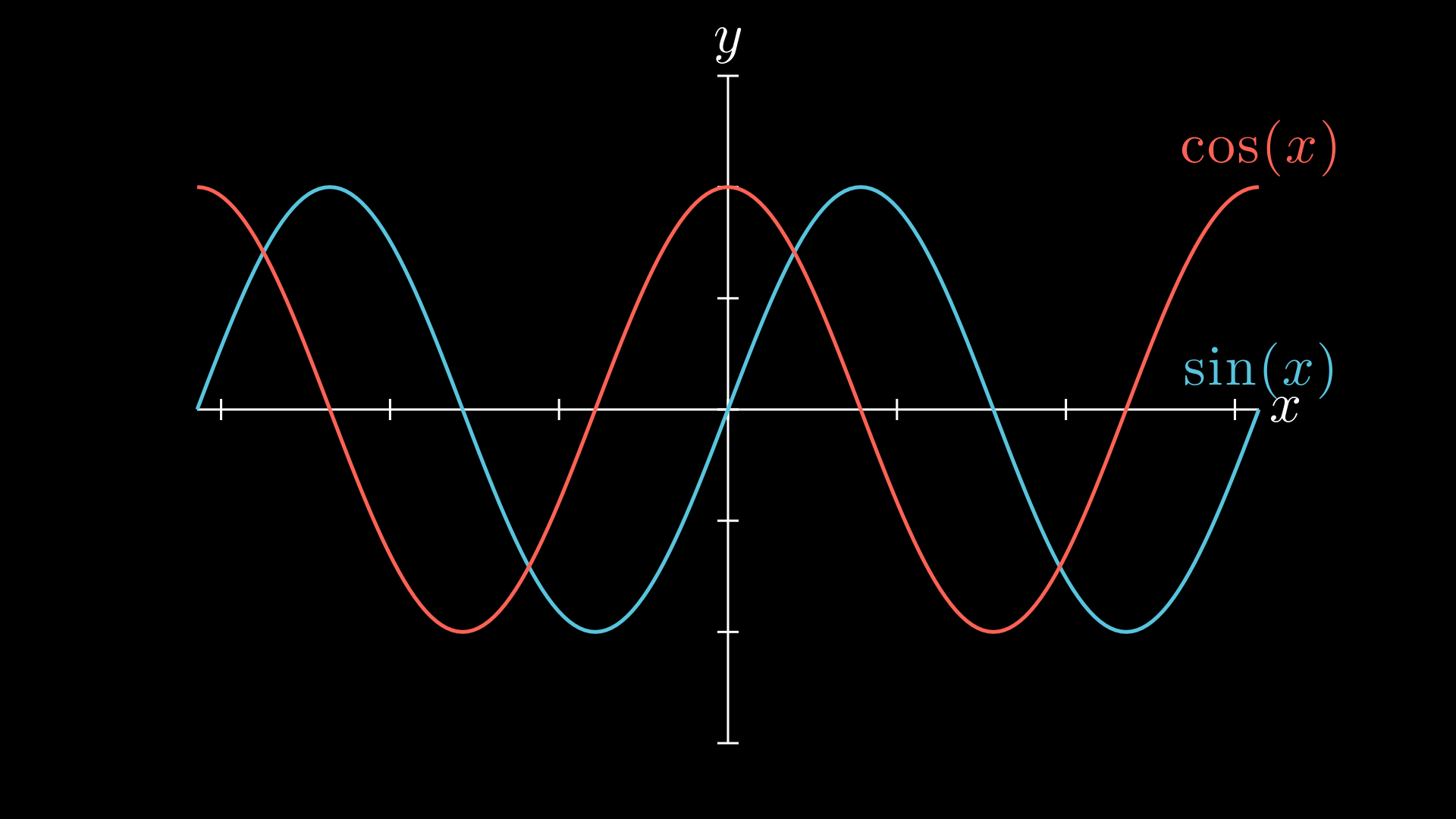
Sine and cosine curves on shared axes.
"""Manim equivalent: SinAndCosFunctionPlot -- sin and cos on axes."""
from vectormation.objects import *
import math

canvas = VectorMathAnim()
canvas.set_background()
axes = Axes(x_range=(-2 * math.pi, 2 * math.pi), y_range=(-1.5, 1.5),
            x_label='x', y_label='y')
axes.add_function(math.sin, label=r'$\sin(x)$', stroke='#58C4DD')
axes.add_function(math.cos, label=r'$\cos(x)$', stroke='#FC6255')

canvas.add_objects(axes)

canvas.show()
class SinAndCosFunctionPlot(Scene):
    def construct(self):
        axes = Axes(
            x_range=[-10, 10.3, 1], y_range=[-1.5, 1.5, 1],
            x_length=10, axis_config={"color": GREEN},
            x_axis_config={"numbers_to_include": np.arange(-10, 10.01, 2)},
            tips=False,
        )
        sin_graph = axes.plot(lambda x: np.sin(x), color=BLUE)
        cos_graph = axes.plot(lambda x: np.cos(x), color=RED)
        sin_label = axes.get_graph_label(sin_graph, r"\sin(x)", x_val=-10)
        cos_label = axes.get_graph_label(cos_graph, label=r"\cos(x)")
        self.add(axes, sin_graph, cos_graph, sin_label, cos_label)
Example: ArgMinExample
A dot slides along a parabola to its minimum.
"""Manim equivalent: ArgMinExample -- dot moving along a parabola to its minimum."""
from vectormation.objects import *
from vectormation import easings, attributes

canvas = VectorMathAnim()
canvas.set_background()
ax = Axes(x_range=(0, 10), y_range=(0, 55), tex_ticks=True)

func = lambda x: 2 * (x - 5) ** 2
curve = ax.plot(func, stroke='#C55F73')

# Dot that travels along the curve to the minimum using graph_position
dot = Dot(fill='#FFFF00')
x_val = attributes.Real(0, 0)
x_val.move_to(0, 3, 5, easing=easings.smooth)
dot.c.set_onward(0, ax.graph_position(func, x_val))

canvas.add_objects(ax, dot)

canvas.show(end=3)
class ArgMinExample(Scene):
    def construct(self):
        ax = Axes(x_range=[0, 10], y_range=[0, 100, 10],
                  axis_config={"include_tip": False})
        t = ValueTracker(0)
        def func(x):
            return 2 * (x - 5) ** 2
        graph = ax.plot(func, color=MAROON)
        initial_point = [ax.coords_to_point(t.get_value(), func(t.get_value()))]
        dot = Dot(point=initial_point)
        dot.add_updater(
            lambda x: x.move_to(ax.c2p(t.get_value(), func(t.get_value())))
        )
        x_space = np.linspace(*ax.x_range[:2], 200)
        minimum_index = func(x_space).argmin()
        self.add(ax, graph, dot)
        self.play(t.animate.set_value(x_space[minimum_index]))
Example: GraphAreaPlot
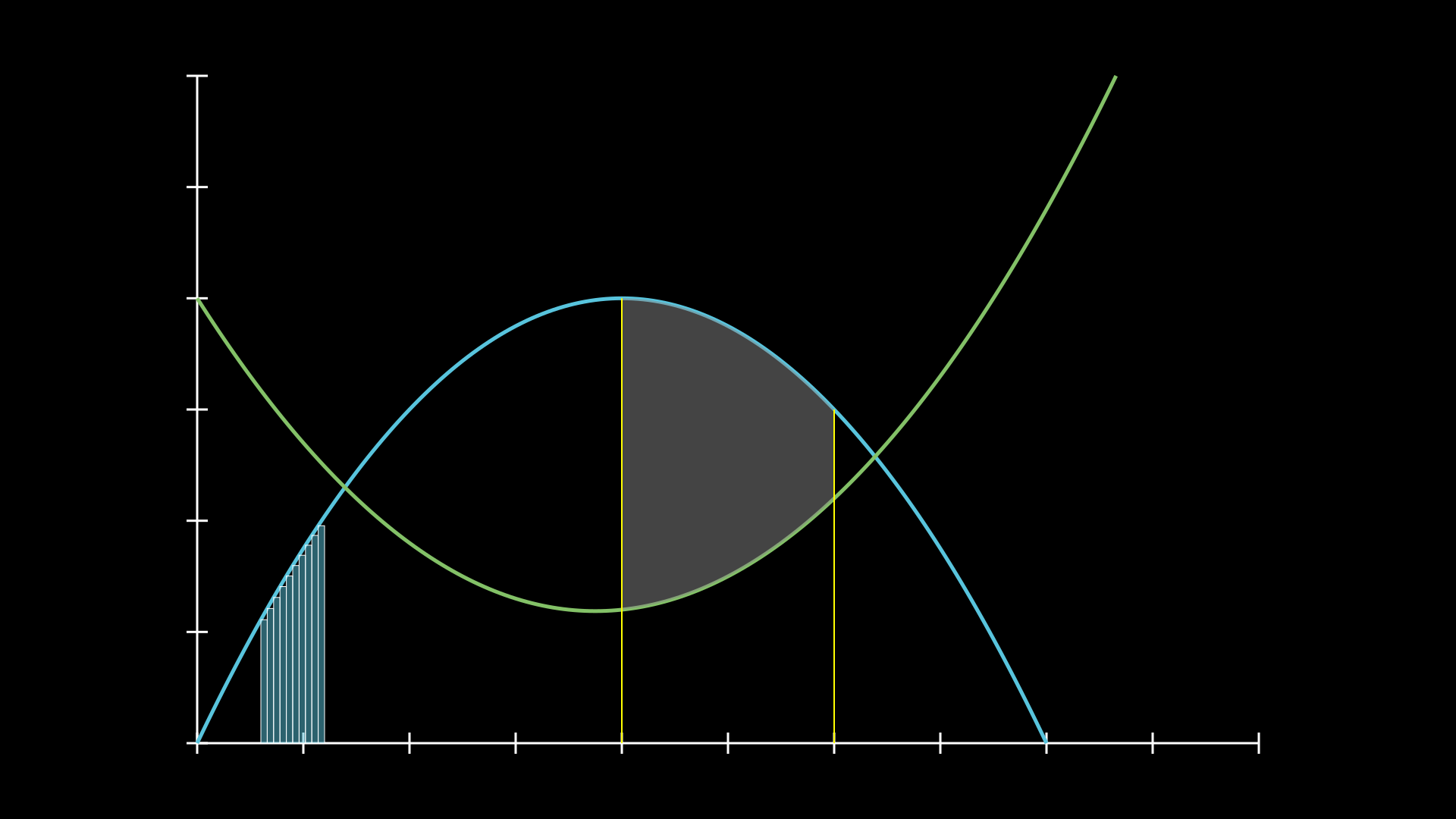
Shaded areas, vertical lines, and Riemann rectangles on a plot.
"""Manim equivalent: GraphAreaPlot -- two curves with Riemann rects and area between curves."""
from vectormation.objects import *

canvas = VectorMathAnim()
canvas.set_background()
ax = Axes(x_range=(0, 5), y_range=(0, 6))

f1 = lambda x: 4 * x - x ** 2
f2 = lambda x: 0.8 * x ** 2 - 3 * x + 4
curve1 = ax.plot(f1, stroke='#58C4DD')
curve2 = ax.plot(f2, stroke='#83C167')

# Riemann rectangles under curve1 in x=[0.3, 0.6]
riemann = ax.get_riemann_rectangles(f1, x_range=(0.3, 0.6), dx=0.03,
                                    fill='#58C4DD', fill_opacity=0.5)

# Shaded area between curve2 and curve1 in x=[2, 3]
area = ax.get_area(curve2, x_range=(2, 3), bounded_graph=curve1,
                   fill='#888888', fill_opacity=0.5)

# Vertical reference lines at x=2 and x=3
vline1 = ax.get_vertical_line(2, y_val=f1(2))
vline2 = ax.get_vertical_line(3, y_val=f1(3))

canvas.add_objects(ax)

canvas.show()
class GraphAreaPlot(Scene):
    def construct(self):
        ax = Axes(x_range=[0, 5], y_range=[0, 6],
                  x_axis_config={"numbers_to_include": [2, 3]}, tips=False)
        curve_1 = ax.plot(lambda x: 4 * x - x ** 2, x_range=[0, 4], color=BLUE_C)
        curve_2 = ax.plot(
            lambda x: 0.8 * x ** 2 - 3 * x + 4, x_range=[0, 4], color=GREEN_B
        )
        line_1 = ax.get_vertical_line(ax.input_to_graph_point(2, curve_1), color=YELLOW)
        line_2 = ax.get_vertical_line(ax.i2gp(3, curve_1), color=YELLOW)
        riemann_area = ax.get_riemann_rectangles(
            curve_1, x_range=[0.3, 0.6], dx=0.03, color=BLUE, fill_opacity=0.5
        )
        area = ax.get_area(curve_2, [2, 3], bounded_graph=curve_1, color=GREY, opacity=0.5)
        self.add(ax, curve_1, curve_2, line_1, line_2, riemann_area, area)
Example: PolygonOnAxes
A rectangle’s area tracks along a hyperbola as the width changes.
"""Manim equivalent: PolygonOnAxes -- dynamic rectangle under a 1/x curve."""
from vectormation.objects import *
from vectormation import attributes

canvas = VectorMathAnim()
canvas.set_background()
ax = Axes(x_range=(0, 10), y_range=(0, 10), tex_ticks=True)

f = lambda x: 25 / x if x > 0.1 else 100
curve = ax.plot(f, stroke='yellow')

# Animated t from 5 -> 9 -> 2.5 -> 5
t_attr = attributes.Real(0, 5)
t_attr.move_to(0, 2, 9)
t_attr.move_to(2, 4, 2.5)
t_attr.move_to(4, 6, 5)

rect = ax.get_rect(0, 0, t_attr, t_attr.apply(f),
                   fill='blue', fill_opacity=0.4, stroke='yellow')

dot = Dot(fill='#fff')
dot.c.set_onward(0, ax.graph_position(f, t_attr))

# Also add final morphing because we can
star = Star(outer_radius=100, fill='green')
circle = Cross(200)
rect2 = Rectangle(200, 200, fill='green')
coll = VCollection(star, circle, rect2).arrange_in_grid(1, 3, buff=100).center_to_pos()
coll.spin(7, 8)
morph = MorphObject(rect, star, 6, 7)
morph2 = MorphObject(curve, circle, 6, 7)
morph3 = MorphObject(ax.axes, rect2, 6, 7)
dot.fadeout(6, 7)

canvas.add_objects(ax, dot)
canvas.add_objects(morph, morph2, morph3, coll)

canvas.show()
class PolygonOnAxes(Scene):
    def construct(self):
        ax = Axes(x_range=[0, 10], y_range=[0, 10], x_length=6, y_length=6,
                  axis_config={"include_tip": False})
        t = ValueTracker(5)
        k = 25
        graph = ax.plot(lambda x: k / x, color=YELLOW_D,
                        x_range=[k / 10, 10.0, 0.01], use_smoothing=False)
        def get_rectangle():
            polygon = Polygon(*[ax.c2p(*i) for i in
                [(t.get_value(), k / t.get_value()), (0, k / t.get_value()),
                 (0, 0), (t.get_value(), 0)]])
            polygon.set_fill(BLUE, opacity=0.5).set_stroke(YELLOW_B)
            return polygon
        polygon = always_redraw(get_rectangle)
        dot = Dot()
        dot.add_updater(lambda x: x.move_to(ax.c2p(t.get_value(), k / t.get_value())))
        self.add(ax, graph, dot)
        self.play(Create(polygon))
        self.play(t.animate.set_value(10))
        self.play(t.animate.set_value(k / 10))
        self.play(t.animate.set_value(5))
Example: HeatDiagramPlot
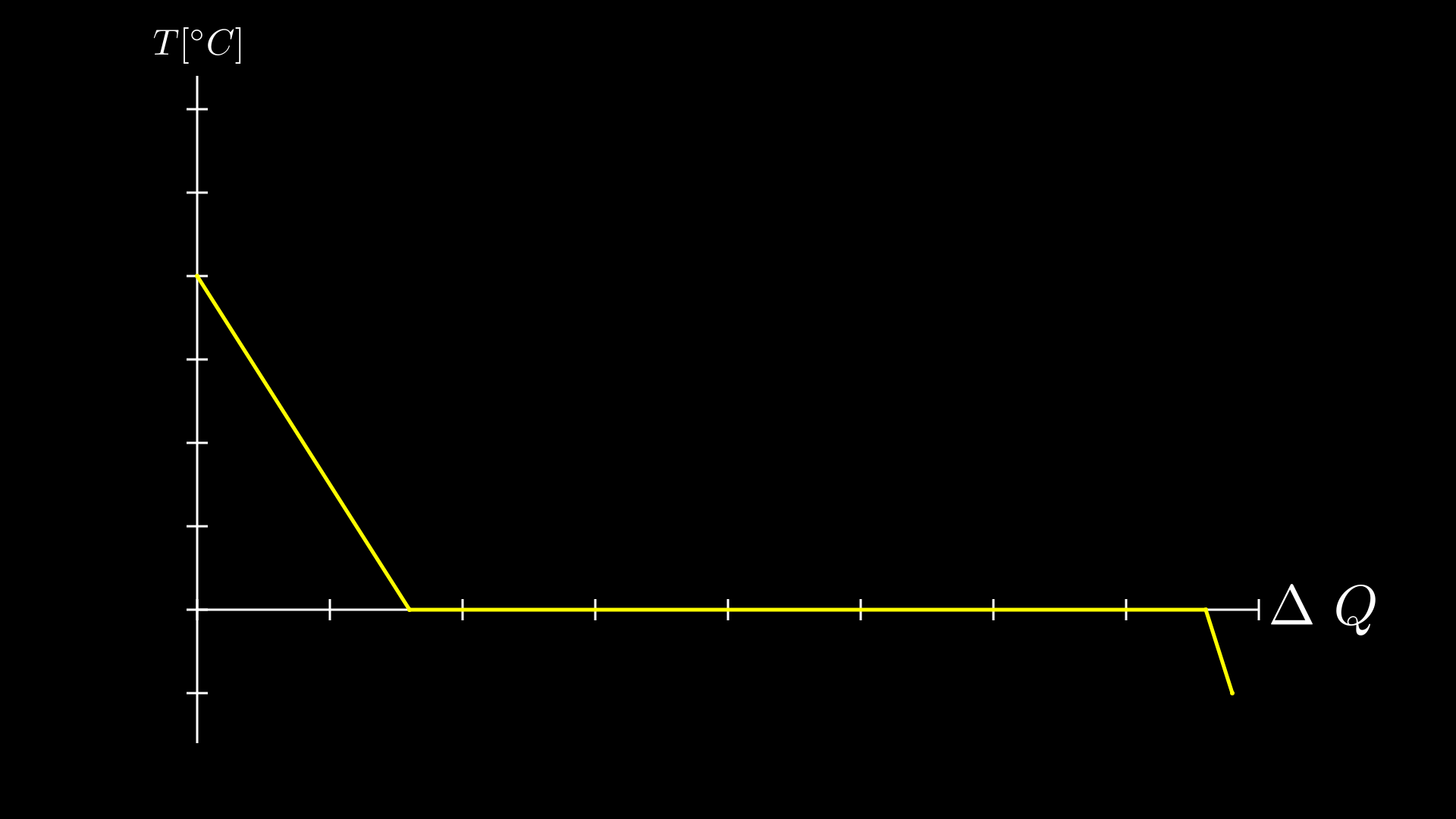
A line graph plotting temperature against heat with axis labels.
"""Manim equivalent: HeatDiagramPlot -- line graph from discrete data points."""
from vectormation.objects import *

canvas = VectorMathAnim()
canvas.set_background()
ax = Axes(x_range=(0, 40), y_range=(-8, 32),
          x_label=r'$\Delta Q$', y_label=r'$T[^\circ C]$')

x_vals = [0, 8, 38, 39]
y_vals = [20, 0, 0, -5]
graph = ax.plot_line_graph(x_vals, y_vals, stroke='#FFFF00')
canvas.add_objects(ax)

canvas.show()
class HeatDiagramPlot(Scene):
    def construct(self):
        ax = Axes(
            x_range=[0, 40, 5], y_range=[-8, 32, 5], x_length=9, y_length=6,
            x_axis_config={"numbers_to_include": np.arange(0, 40, 5)},
            y_axis_config={"numbers_to_include": np.arange(-5, 34, 5)},
            tips=False,
        )
        labels = ax.get_axis_labels(
            x_label=Tex(r"$\Delta Q$"), y_label=Tex(r"T[$^\circ C$]")
        )
        x_vals = [0, 8, 38, 39]
        y_vals = [20, 0, 0, -5]
        graph = ax.plot_line_graph(x_values=x_vals, y_values=y_vals)
        self.add(ax, labels, graph)
Advanced
Example: GradientImageFromArray
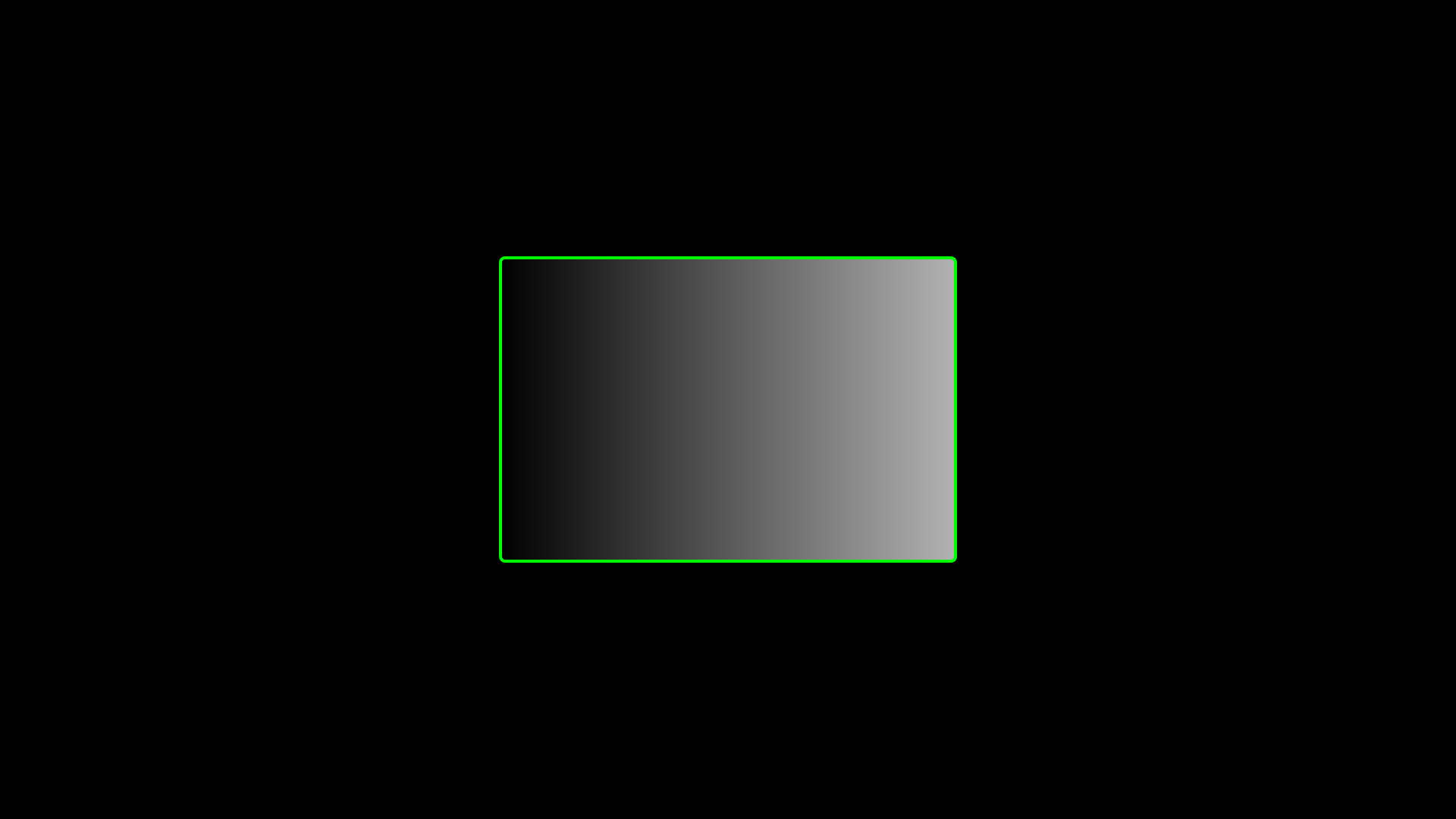
A black-to-white linear gradient with a green bounding rectangle.
"""Manim equivalent: GradientImageFromArray -- linear gradient with bounding rectangle."""
from vectormation.objects import *
from vectormation.colors import LinearGradient

canvas = VectorMathAnim()
canvas.set_background()

# Black-to-white linear gradient
grad = LinearGradient([('0%', '#000'), ('100%', '#fff')])
canvas.add_gradient(grad)

# Gradient rectangle centered on screen
rect = Rectangle(width=600, height=400, x=660, y=340, fill=grad, stroke_width=0)

# Green bounding rectangle
border = SurroundingRectangle(rect, buff=0, stroke='#00FF00', stroke_width=4,
                              fill_opacity=0)

canvas.add_objects(rect, border)

canvas.show()
class GradientImageFromArray(Scene):
    def construct(self):
        n = 256
        imageArray = np.uint8(
            [[i * 256 / n for i in range(0, n)] for _ in range(0, n)]
        )
        image = ImageMobject(imageArray).scale(2)
        image.background_rectangle = SurroundingRectangle(image, GREEN)
        self.add(image, image.background_rectangle)
Example: BooleanOperations
Boolean operations (intersection, union, exclusion, difference) on two overlapping ellipses.
"""Manim equivalent: BooleanOperations -- boolean ops on overlapping ellipses."""
from vectormation import *

canvas = VectorMathAnim()
canvas.set_background(fill='#1a1a2e')

ellipse1 = Ellipse(rx=270, ry=338, cx=825, cy=540,
                   fill=BLUE, fill_opacity=0.5, stroke=BLUE, stroke_width=10)
ellipse2 = Ellipse(rx=270, ry=338, cx=1095, cy=540,
                   fill=RED, fill_opacity=0.5, stroke=RED, stroke_width=10)

title = Text('Boolean Operations', x=960, y=120, font_size=72, fill='#fff',
             stroke_width=0, text_anchor='middle')

canvas.add_objects(ellipse1, ellipse2, title)
ellipse1.fadein(start=0, end=0.5)
ellipse2.fadein(start=0, end=0.5)
title.fadein(start=0, end=0.5)

# Each boolean op: appears at ellipse overlap, then scales down and moves under its label.
# Staggered like Manim: one at a time, label fades in after move.
ops = [
    ('Intersection', Intersection, GREEN, 1600, 250),
    ('Union',        Union,        ORANGE, 1600, 700),
    ('Exclusion',    Exclusion,    YELLOW, 300, 250),
    ('Difference',   Difference,   PINK, 300, 700),
]

t = 1.0
for name, cls, color, tx, ty in ops:
    op = cls(ellipse1, ellipse2, fill=color, fill_opacity=0.5, creation=t, stroke_width=10)
    canvas.add_objects(op)
    op.scale(0.4, start=t + 0.5, end=t + 1.3)
    op.center_to_pos(posx=tx, posy=ty + 100, start=t + 0.5, end=t + 1.3)
    label = Text(name, x=tx, y=ty - 70, font_size=48, fill='#ddd',
                 stroke_width=0, text_anchor='middle')
    canvas.add_objects(label)
    label.fadein(start=t, end=t + 0.5)
    t += 1.5

canvas.show(end=t + 0.5)
class BooleanOperations(Scene):
    def construct(self):
        ellipse1 = Ellipse(
            width=4.0, height=5.0, fill_opacity=0.5, color=BLUE, stroke_width=10
        ).move_to(LEFT)
        ellipse2 = Ellipse(
            width=4.0, height=5.0, fill_opacity=0.5, color=RED, stroke_width=10
        ).move_to(RIGHT)
        bool_ops_text = MarkupText("<u>Boolean Operation</u>").next_to(ellipse1, UP * 3)
        ellipse_group = Group(ellipse1, ellipse2)
        self.play(FadeIn(ellipse_group))

        i = Intersection(ellipse1, ellipse2, color=GREEN, fill_opacity=0.5)
        self.play(i.animate.scale(0.25).move_to(RIGHT * 5 + UP * 2.5))
        intersection_text = Text("Intersection", font_size=23).next_to(i, UP)
        self.play(FadeIn(intersection_text))

        u = Union(ellipse1, ellipse2, color=ORANGE, fill_opacity=0.5)
        union_text = Text("Union", font_size=23)
        self.play(u.animate.scale(0.3).next_to(i, DOWN, buff=union_text.height * 3))
        union_text.next_to(u, UP)
        self.play(FadeIn(union_text))

        e = Exclusion(ellipse1, ellipse2, color=YELLOW, fill_opacity=0.5)
        exclusion_text = Text("Exclusion", font_size=23)
        self.play(e.animate.scale(0.3).next_to(u, DOWN, buff=exclusion_text.height * 3))
        exclusion_text.next_to(e, UP)
        self.play(FadeIn(exclusion_text))

        d = Difference(ellipse1, ellipse2, color=PINK, fill_opacity=0.5)
        difference_text = Text("Difference", font_size=23)
        self.play(d.animate.scale(0.3).next_to(e, DOWN, buff=difference_text.height * 3))
        difference_text.next_to(d, UP)
        self.play(FadeIn(difference_text))
Example: ZoomedInset
A zoomed inset magnifies a small region of the canvas.
"""Zoomed inset camera: magnify a region of the canvas."""
from vectormation import (
    VectorMathAnim, Dot, Text, ZoomedInset,
    LinearGradient, Circle
)

canvas = VectorMathAnim()

# Gradient canvas background (mimics the pixelated ImageMobject in Manim)
grad = LinearGradient(
    [('0%', '#001430'), ('25%', '#643200'), ('50%', '#1e6400'), ('75%', '#0000c8'),
     ('100%', '#ff0021')],
    x1='0%', y1='0%', x2='100%', y2='100%',
)
canvas.add_def(grad)
canvas.set_background(fill=grad)

# Create some small objects that benefit from zooming
for i in range(5):
    d = Dot(cx=400 + i * 30, cy=540, r=6, fill='#e94560')
    canvas.add_objects(d)
    d.fadein(start=0, end=0.5)

label = Text('tiny dots', x=460, y=590, font_size=14, text_anchor='middle')
canvas.add_objects(label)
label.fadein(start=0, end=0.5)

# Small shape in the destination area so the inset has content after moving
cir = Circle(r=30, cx=900, cy=350, fill='BLUE', stroke='#58C4DD')
cir_label = Text('tiny circle', x=900, y=415, font_size=14, text_anchor='middle')
canvas.add_objects(cir, cir_label)

# Source and display must share the same aspect ratio (3:2 here)
zi = ZoomedInset(
    canvas,
    source=(360, 480, 200, 133),     # 3:2 region around dots
    display=(1100, 200, 600, 400),   # 3:2 display area
    frame_color='#FFFF00',
    display_color='#FFFF00',
)
canvas.add_objects(zi)
zi.fadein(start=0.5, end=1)

# Animate the source sweeping across the canvas
zi.move_source(800, 300, start=2, end=4)

canvas.show(end=5)
class MovingZoomedSceneAround(ZoomedScene):
    def __init__(self, **kwargs):
        ZoomedScene.__init__(
            self, zoom_factor=0.3,
            zoomed_display_height=1, zoomed_display_width=6,
            image_frame_stroke_width=20,
            zoomed_camera_config={"default_frame_stroke_width": 3},
            **kwargs
        )

    def construct(self):
        dot = Dot().shift(UL * 2)
        image = ImageMobject(np.uint8([[0, 100, 30, 200], [255, 0, 5, 33]]))
        image.height = 7
        self.add(image, dot)
        frame = self.zoomed_camera.frame
        zoomed_display = self.zoomed_display
        zoomed_display_frame = zoomed_display.display_frame
        frame.move_to(dot)
        frame.set_color(PURPLE)
        zoomed_display_frame.set_color(RED)
        zoomed_display.shift(DOWN)
        zd_rect = BackgroundRectangle(zoomed_display, fill_opacity=0, buff=MED_SMALL_BUFF)
        self.add_foreground_mobject(zd_rect)
        unfold_camera = UpdateFromFunc(zd_rect, lambda rect: rect.replace(zoomed_display))
        self.play(Create(frame))
        self.activate_zooming()
        self.play(self.get_zoomed_display_pop_out_animation(), unfold_camera)
        self.play(frame.animate.shift(2.5 * DOWN + 4 * LEFT))
        self.play(zoomed_display.animate.shift(2 * UP + 2 * RIGHT).scale(1.5))
3D
VectorMation renders 3D scenes using orthographic projection to SVG, with animatable camera angles (phi/theta), Lambertian shading, depth-sorted rendering, LaTeX axis labels, and filled surfaces with checkerboard colours.
Example: FixedInFrameMObjectTest
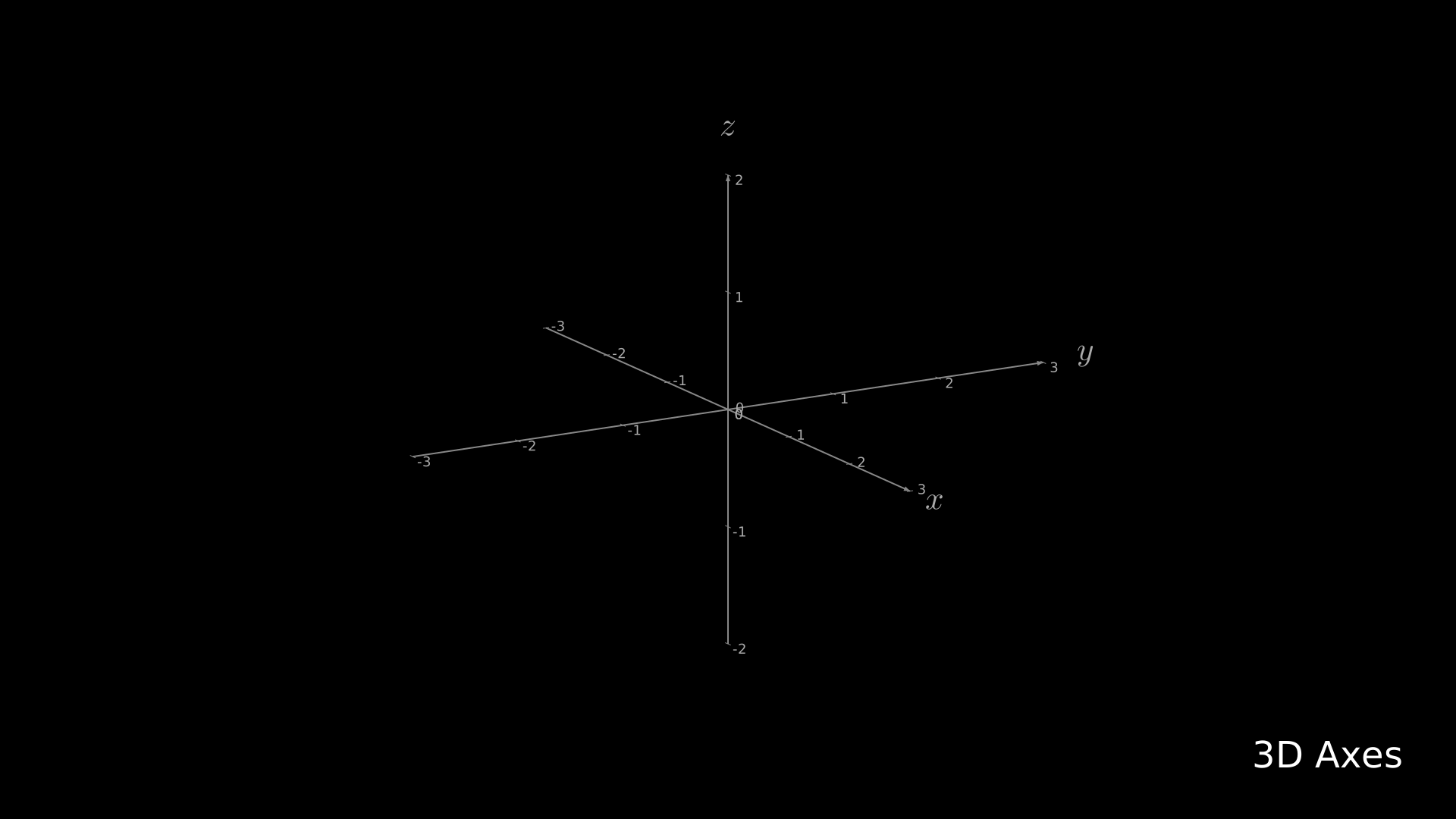
Labeled 3D axes with a title.
"""Manim equivalent: FixedInFrameMObjectTest -- labeled 3D axes."""
from vectormation.objects import *

canvas = VectorMathAnim()
canvas.set_background()

axes = ThreeDAxes()

title = Text('3D Axes', font_size=48, fill='#fff', stroke_width=0)
title.to_corner('UL')

canvas.add_objects(axes, title)

canvas.show()
class FixedInFrameMObjectTest(ThreeDScene):
    def construct(self):
        axes = ThreeDAxes()
        self.set_camera_orientation(phi=75 * DEGREES, theta=-45 * DEGREES)
        text3d = Text("This is a 3D text")
        self.add_fixed_in_frame_mobjects(text3d)
        text3d.to_corner(UL)
        self.add(axes)
Example: ThreeDSurfacePlot
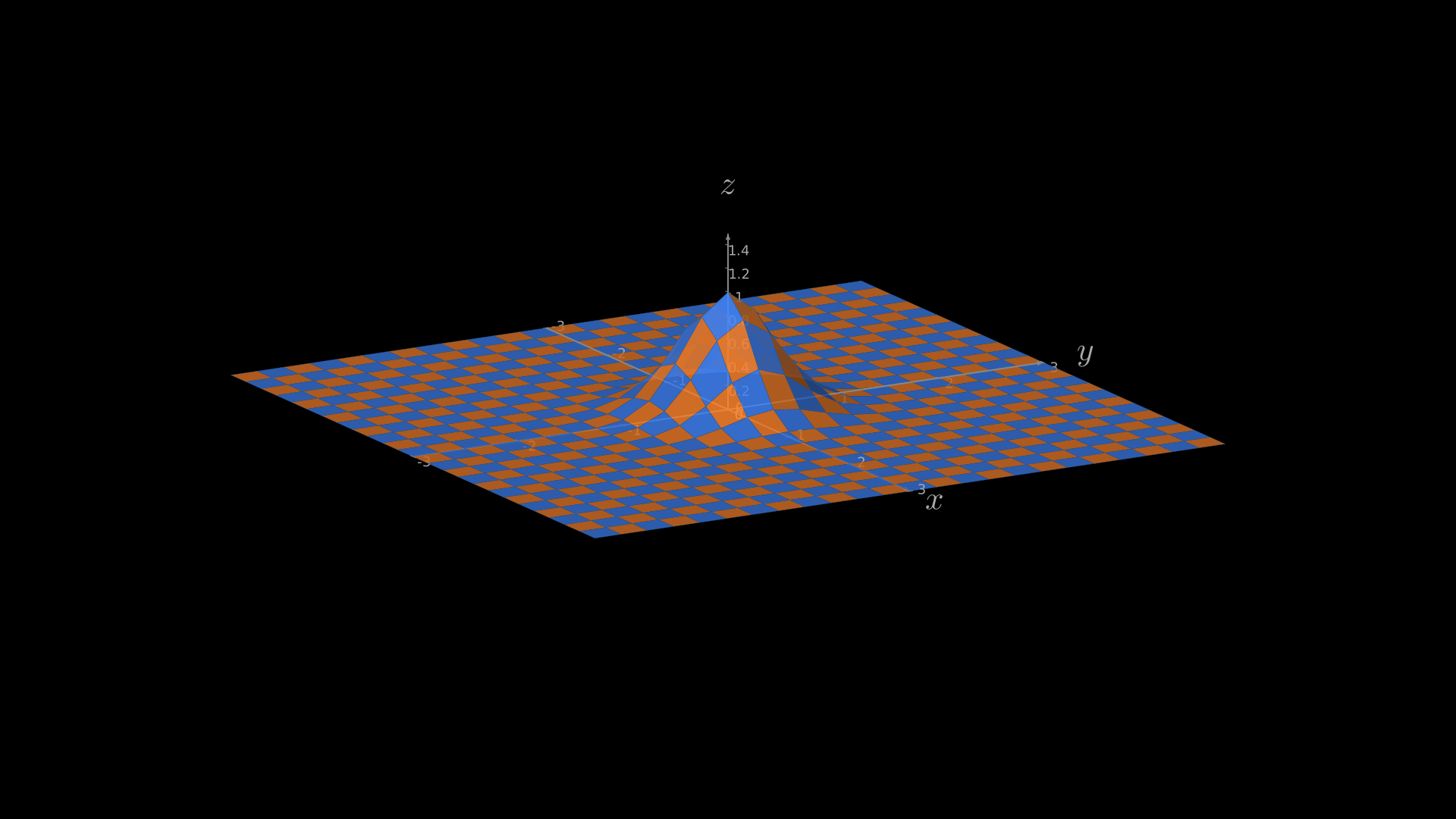
A Gaussian surface with checkerboard colours on 3D axes.
"""Manim equivalent: ThreeDSurfacePlot -- Gaussian surface on 3D axes."""
from vectormation.objects import *
import math

canvas = VectorMathAnim()
canvas.set_background()

axes = ThreeDAxes(x_range=(-3, 3), y_range=(-3, 3), z_range=(0, 1.5))

sigma = 0.4
def gaussian(x, y):
    d2 = x * x + y * y
    return math.exp(-d2 / (2.0 * sigma * sigma))

axes.plot_surface(gaussian, resolution=(24, 24),
                  checkerboard_colors=('#FF862F', '#4488ff'),
                  stroke_color='#225588', stroke_width=0.3,
                  fill_opacity=0.85)

canvas.add_objects(axes)

canvas.show()
class ThreeDSurfacePlot(ThreeDScene):
    def construct(self):
        resolution_fa = 24
        self.set_camera_orientation(phi=75 * DEGREES, theta=-30 * DEGREES)
        def param_gauss(u, v):
            x, y = u, v
            sigma, mu = 0.4, [0.0, 0.0]
            d = np.sqrt((x - mu[0])**2 + (y - mu[1])**2)
            z = np.exp(-(d**2 / (2.0 * sigma**2)))
            return np.array([x, y, z])
        gauss_plane = Surface(param_gauss,
            resolution=(resolution_fa, resolution_fa),
            v_range=[-2, +2], u_range=[-2, +2])
        gauss_plane.scale(2, about_point=ORIGIN)
        gauss_plane.set_style(fill_opacity=1, stroke_color=GREEN)
        gauss_plane.set_fill_by_checkerboard(ORANGE, BLUE, opacity=0.5)
        axes = ThreeDAxes()
        self.add(axes, gauss_plane)
Example: ThreeDLightSourcePosition
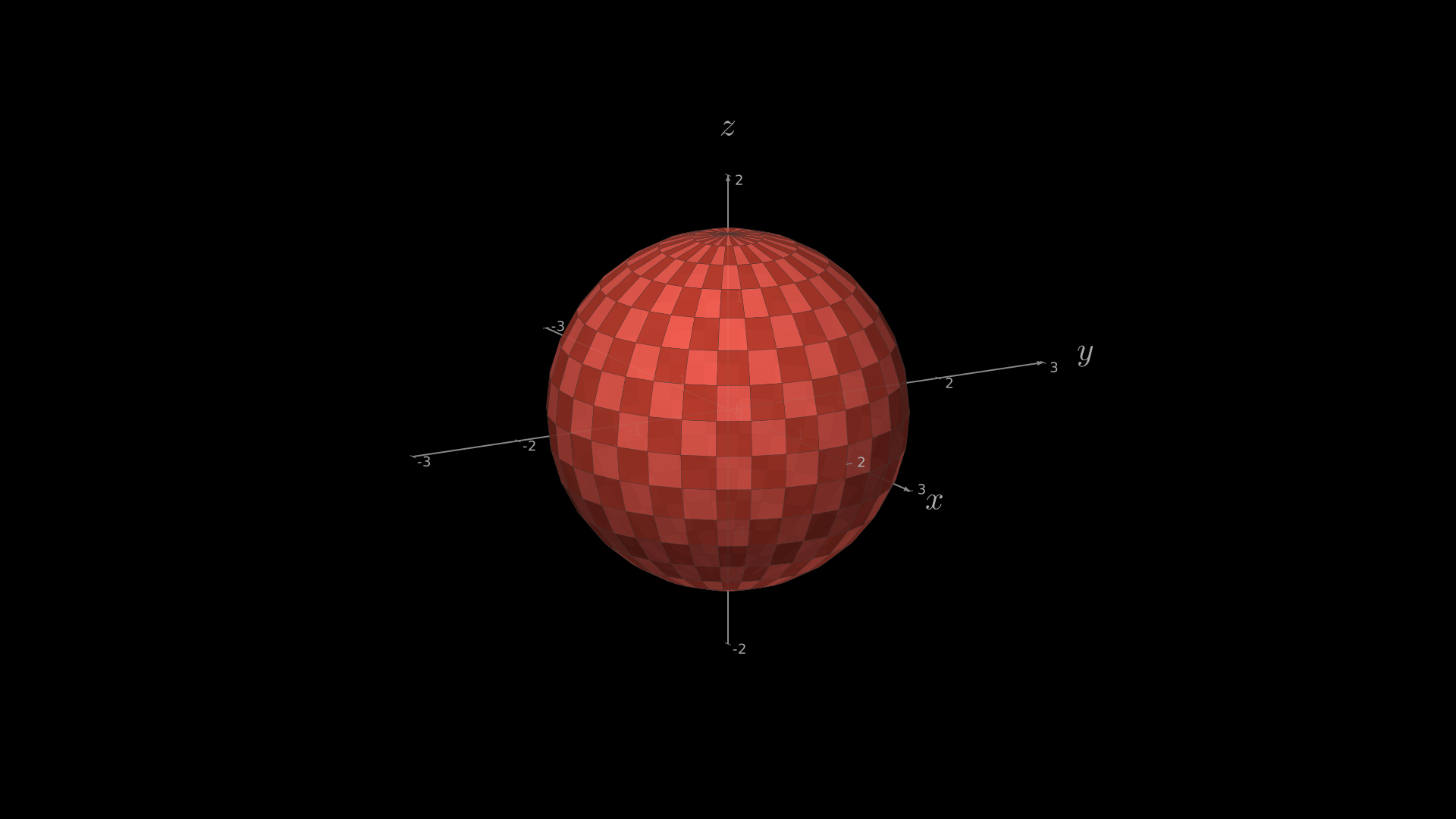
A sphere with Lambertian shading and checkerboard colours on 3D axes.
"""Manim equivalent: ThreeDLightSourcePosition -- sphere on 3D axes."""
from vectormation.objects import *

canvas = VectorMathAnim()
canvas.set_background()

axes = ThreeDAxes(x_range=(-3, 3), y_range=(-3, 3), z_range=(-2, 2))

sphere = Sphere3D(radius=1.5, fill_color='#FC6255',
                  checkerboard_colors=('#FC6255', '#c44030'),
                  resolution=(16, 32), fill_opacity=0.9)
axes.add_surface(sphere)

canvas.add_objects(axes)

canvas.show()
class ThreeDLightSourcePosition(ThreeDScene):
    def construct(self):
        axes = ThreeDAxes()
        sphere = Surface(
            lambda u, v: np.array([
                1.5 * np.cos(u) * np.cos(v),
                1.5 * np.cos(u) * np.sin(v),
                1.5 * np.sin(u)
            ]), v_range=[0, TAU], u_range=[-PI / 2, PI / 2],
            checkerboard_colors=[RED_D, RED_E], resolution=(15, 32))
        self.renderer.camera.light_source.move_to(3 * IN)
        self.set_camera_orientation(phi=75 * DEGREES, theta=30 * DEGREES)
        self.add(axes, sphere)
Example: ThreeDCameraRotation
A saddle surface with the camera rotating 360 degrees.
"""Demonstrate 3D camera rotation animation."""
from vectormation.objects import *
import math

canvas = VectorMathAnim()
canvas.set_background()

axes = ThreeDAxes(x_range=(-3, 3), y_range=(-3, 3), z_range=(-2, 2))

# Add a filled surface
def saddle(x, y):
    return (x**2 - y**2) / 6

axes.plot_surface(saddle, resolution=(20, 20),
                  fill_color='#58C4DD', fill_opacity=0.8)

# Rotate camera 360 degrees over 6 seconds
axes.set_camera_orientation(0, 6, theta=axes.theta.at_time(0) + math.tau)

canvas.add_objects(axes)

canvas.show(end=6)
class ThreeDCameraRotation(ThreeDScene):
    def construct(self):
        axes = ThreeDAxes()
        self.set_camera_orientation(phi=75 * DEGREES, theta=30 * DEGREES)
        self.add(axes)
        self.begin_ambient_camera_rotation(rate=0.1)
        self.wait(6)
Example: ParametricCurve3DExample
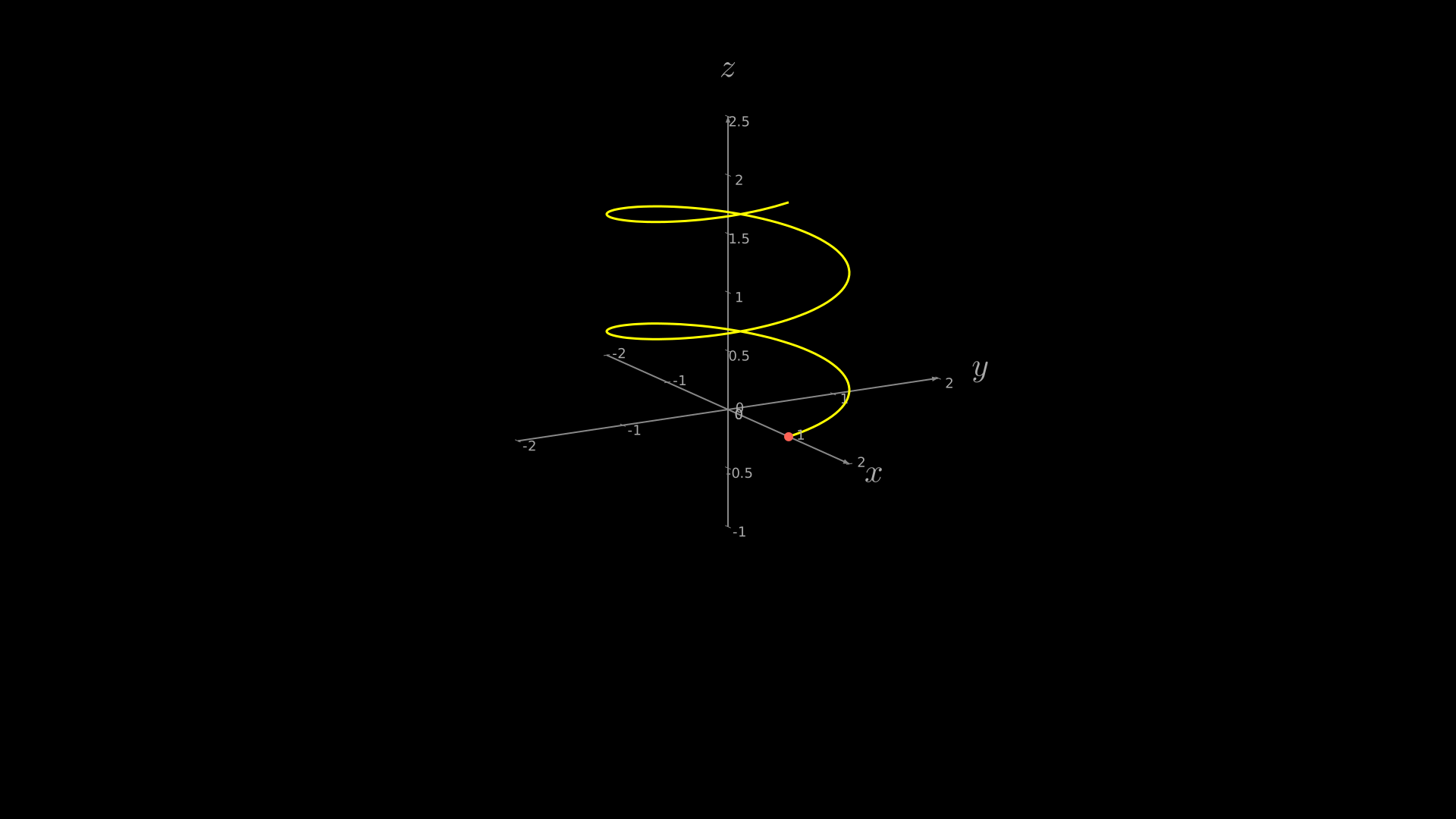
A helix drawn as a parametric curve in 3D space.
"""Demonstrate ParametricCurve3D with a helix."""
from vectormation.objects import *
import math

canvas = VectorMathAnim()
canvas.set_background()

axes = ThreeDAxes(x_range=(-2, 2), y_range=(-2, 2), z_range=(-1, 2.5))

# A helix wrapping around the z-axis
def helix(t):
    return (math.cos(t), math.sin(t), t / (2 * math.pi))

curve = ParametricCurve3D(helix, t_range=(0, 4 * math.pi), num_points=200,
                          stroke='#FFFF00', stroke_width=3)
axes.add_3d(curve)

# A dot at the start
axes.add_3d(Dot3D((1, 0, 0), radius=6, fill='#FC6255'))

canvas.add_objects(axes)

canvas.show()
class ParametricCurve3DExample(ThreeDScene):
    def construct(self):
        axes = ThreeDAxes()
        self.set_camera_orientation(phi=75 * DEGREES, theta=-45 * DEGREES)
        curve = ParametricFunction(
            lambda t: np.array([np.cos(t), np.sin(t), t / (2 * PI)]),
            t_range=[0, 4 * PI], color=YELLOW
        )
        dot = Dot3D(axes.c2p(1, 0, 0), color=RED)
        self.add(axes, curve, dot)
Example: FollowingGraphCamera
Camera zooms in and follows a dot sliding along a sine curve.
"""Manim equivalent: FollowingGraphCamera -- camera follows a dot along a graph."""
from vectormation.objects import *
import math

canvas = VectorMathAnim()
canvas.set_background()

ax = Axes(x_range=(-1, 10), y_range=(-1, 10))
func = lambda x: math.sin(x)
ax.plot(func, stroke='#58C4DD')

# Dot moves along the sine curve from x=0 to x=3*pi over [0.5, 2.0]
dot = Dot(cx=ax.coords_to_point(0, 0)[0], cy=ax.coords_to_point(0, 0)[1], fill='#FF8C00')
x_coor = lambda t: min(max((t - 0.5) / 1.5, 0), 1) * 3 * math.pi
dot.c.set_onward(0, lambda t: ax.coords_to_point(x_coor(t), func(x_coor(t)), t))

# Camera: zoom in, follow the dot, then zoom out
canvas.camera_zoom(2, start=0, end=0.5, cx=dot.c.at_time(0)[0], cy=dot.c.at_time(0)[1])
canvas.camera_follow(dot, start=0.5, end=2.0)
canvas.camera_reset(start=2.0, end=2.5)

canvas.add_objects(ax, dot)

canvas.show()
class FollowingGraphCamera(MovingCameraScene):
    def construct(self):
        self.camera.frame.save_state()
        ax = Axes(x_range=[-1, 10], y_range=[-1, 10])
        graph = ax.plot(lambda x: np.sin(x), color=BLUE,
                        x_range=[0, 3 * PI])
        dot = Dot(ax.i2gp(0, graph), color=ORANGE)
        self.add(ax, graph, dot)
        self.play(self.camera.frame.animate.scale(0.5).move_to(dot))
        def update_camera(mob):
            mob.move_to(dot.get_center())
        self.camera.frame.add_updater(update_camera)
        self.play(MoveAlongPath(dot, graph, rate_func=linear),
                  run_time=8)
        self.camera.frame.remove_updater(update_camera)
        self.play(Restore(self.camera.frame))
Summary
VectorMation recreates all 25 Manim example gallery scenes.
VectorMation replaces Manim’s imperative self.play() pattern with a declarative, time-based approach. Animations are defined by their time interval and the library can render any frame instantly. This makes iteration faster (browser hot-reload) and code shorter (no ceremony of classes and play calls).